

App studio

More than an app. A dream, turned into everyday tech.

Got a brilliant app idea?
We design, build and launch it with you, on iPhone and Android.

Amanelu

Your mind.
Your rhythm.

Amanelu helps you capture tasks, find one doable next step and focus at your own pace.
A smaller start

When a task keeps waiting.

If your attention drifts, or you keep putting something off, one smaller next step can be enough to begin. Amanelu is a planner for that moment, not a medical product.

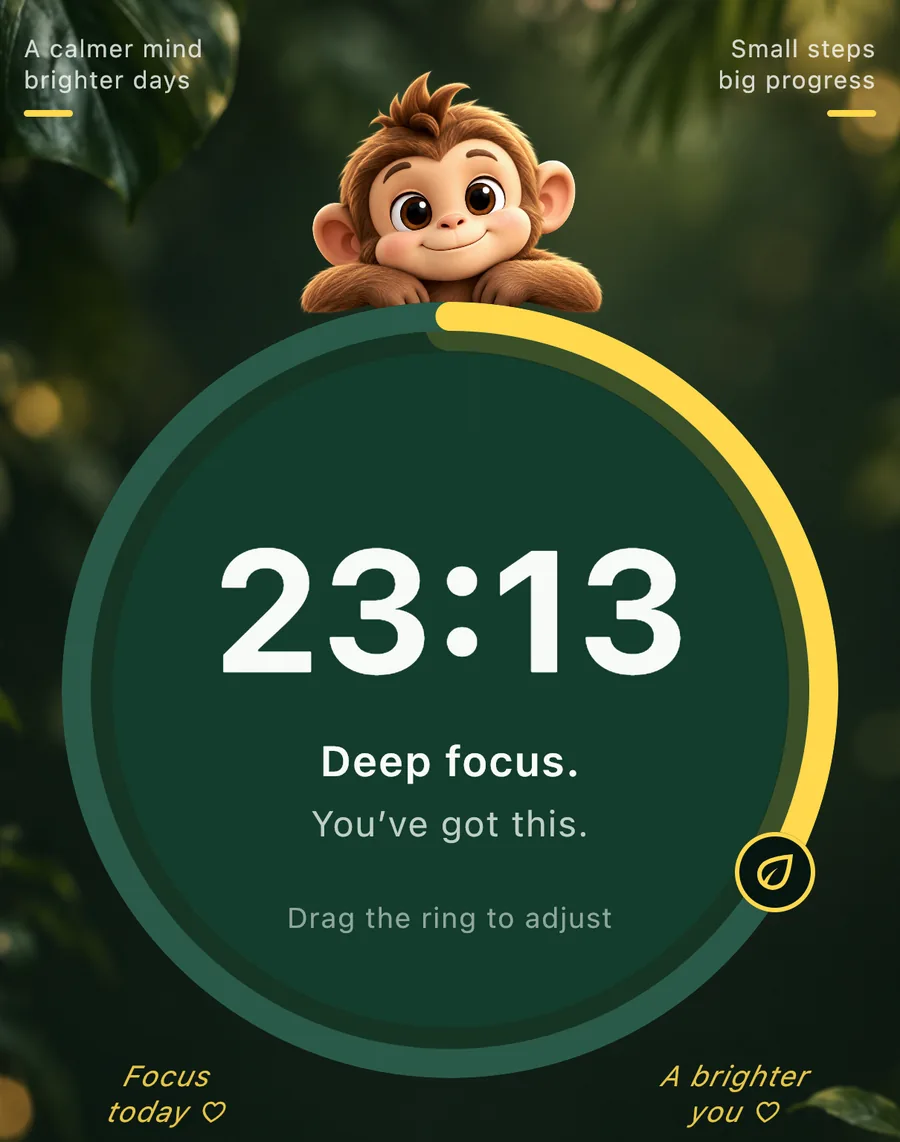
Amanelu focus screen: a round timer at 23:13, with Deep focus and You've got this, and a small monkey resting on the ring.

How it works

Capture it. Shrink it. Stay with it.

A short loop for getting started, with no diagnosis and no score to beat.

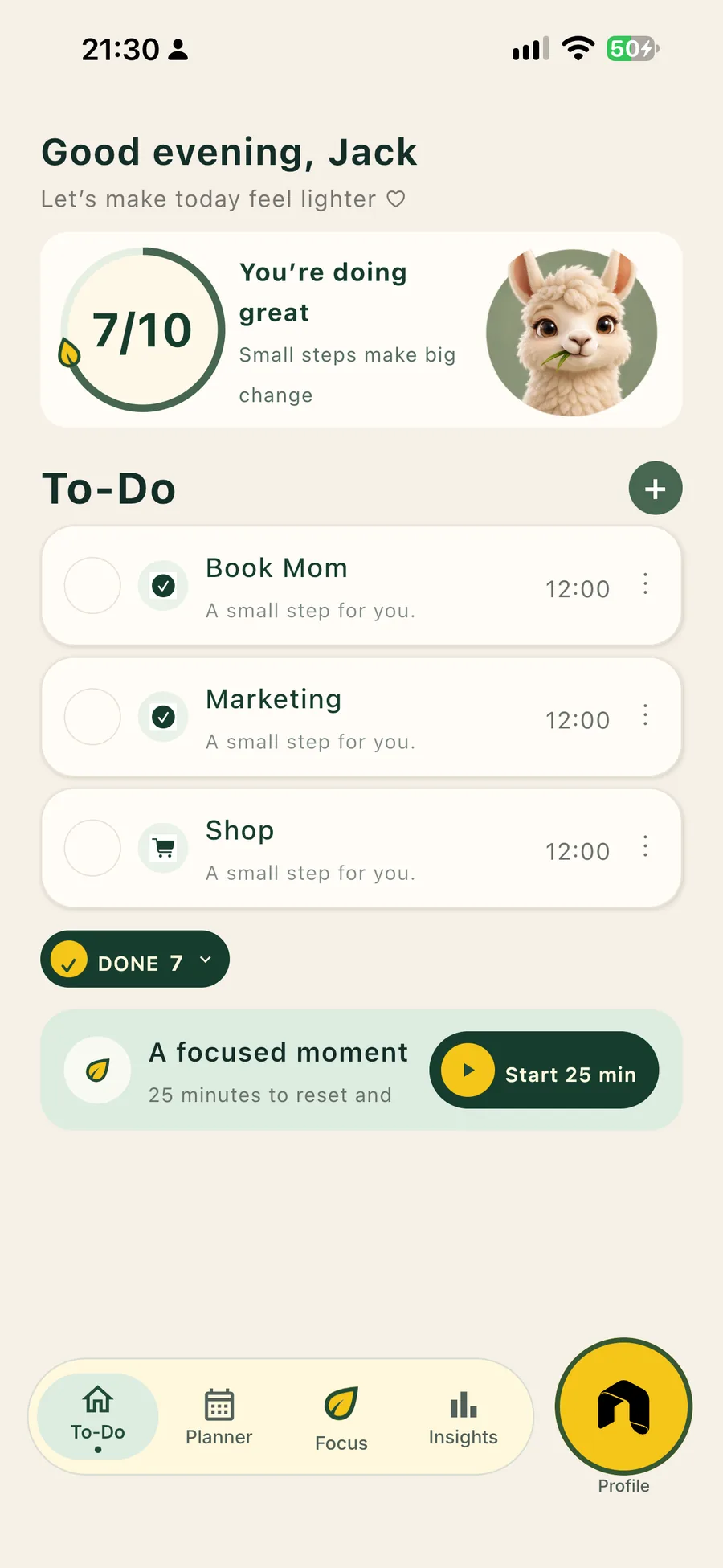
Amanelu to-do screen: Good evening, Jack, a 7 of 10 progress ring, and tasks including Book Mom.
To-Do · iPhone
  1. 01

    Capture a task

    Put the task somewhere you can see it, before it slips back into the noise.

  2. 02

    One doable next step

    Turn a big intention into a single action that is small enough to start.

  3. 03

    Focus

    Stay with that step for a short block, then come back when you are ready.

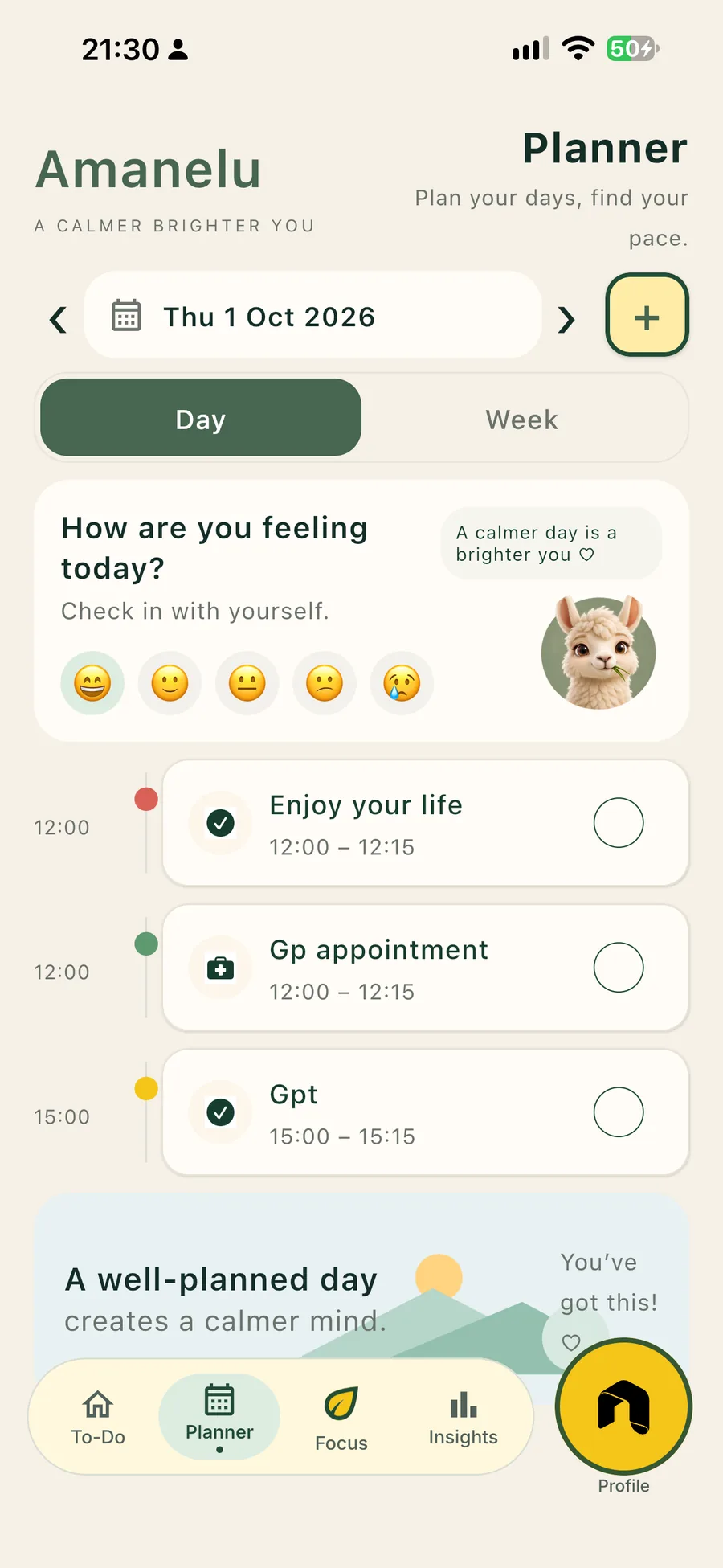
Amanelu planner for Thursday 1 October 2026, with a feeling check-in and a short day plan.
Planner · Galaxy

Write it down, then take one step.

The planner is a quiet place for the thing you keep meaning to do. Name it, and pick a single action you can start without clearing the whole day.

Leave the rest of the list where it is. One small step is a real start.

Research, with care

What the sources say, and what they do not.

The notes below are only from pages we read. They are about ADHD care and about therapy research. They are not a test of this app, and they are not a reason to call it a treatment.

Start with the step in front of you.

If a task keeps slipping past you, put it where you can see it and choose one action small enough to begin.

That is the whole loop. Nothing here asks you to push harder.

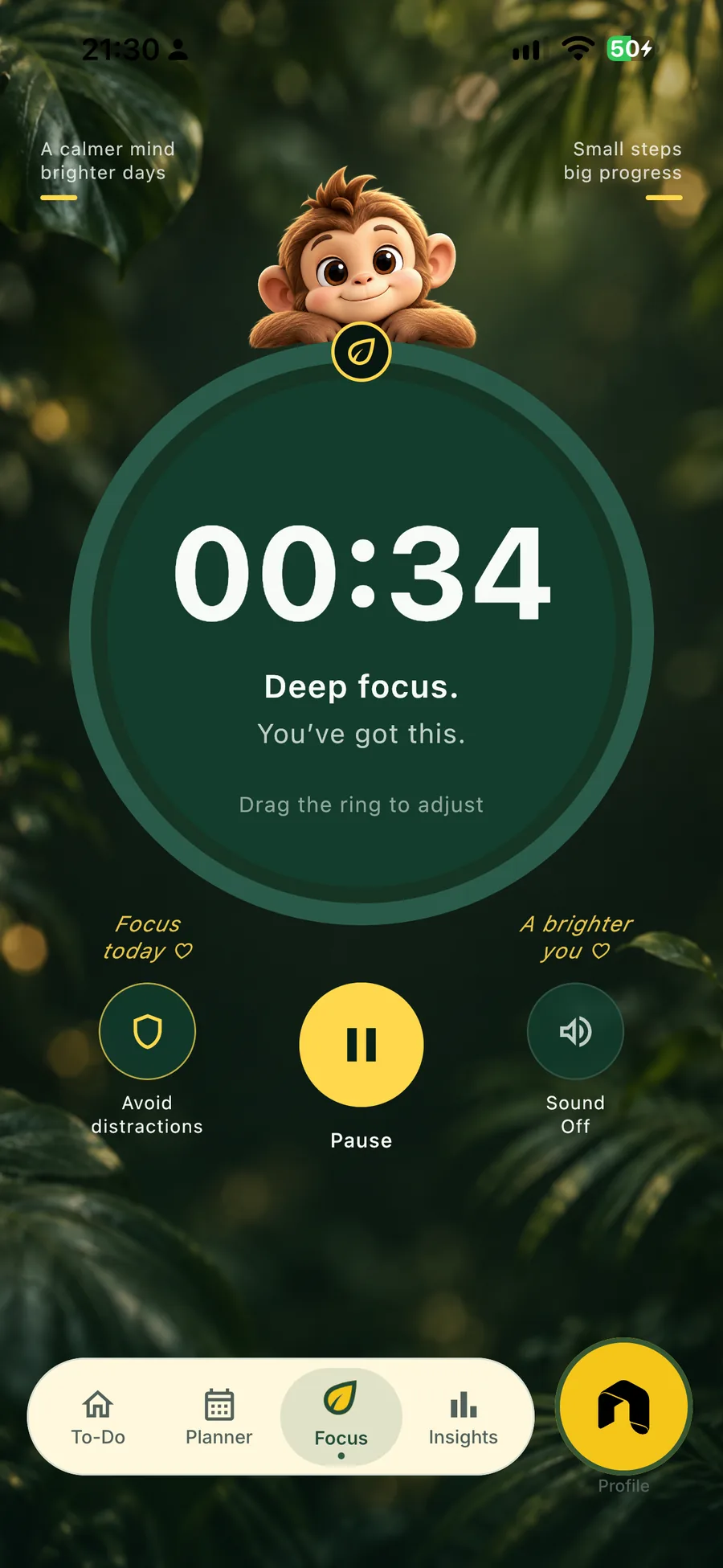
Amanelu focus screen with a 00:34 deep focus timer, and pause, distraction and sound controls.
Focus · iPhone

01 · NICE guideline NG87

Support can include the environment around a task.

NICE’s guideline on ADHD, published on 14 March 2018 and last updated on 13 September 2019, treats environmental modifications as part of care. The guideline describes them as changes that reduce the day-to-day impact of symptoms, such as fewer distractions, shorter periods of focus, and written instructions as well as spoken ones. That is clinical guidance. It is not evidence about Amanelu.

Read the NICE recommendations

02 · Cochrane Database of Systematic Reviews

Organisation shows up in studied CBT programmes.

Lopez and colleagues reviewed cognitive-behavioural therapy for adults with ADHD (23 March 2018). They included 14 randomised trials, with 700 participants. The review describes typical programmes that teach organisation, including lists, schedules and planning breaks, among other modules. The authors found low-quality evidence of short-term benefit for those therapies. The review did not study this app.

Read the Cochrane review

03 · BMJ Mental Health

A 2024 review compared parts of CBT, not this app.

Matsumoto and colleagues published a network meta-analysis on 27 December 2024. It included 43 randomised trials and 3,817 participants, and compared components of cognitive-behavioural therapy for ADHD. In that analysis, organisational strategies were one component associated with a higher chance of treatment response. Those were therapy trials. They do not show what happens when someone uses Amanelu.

Read the BMJ Mental Health paper
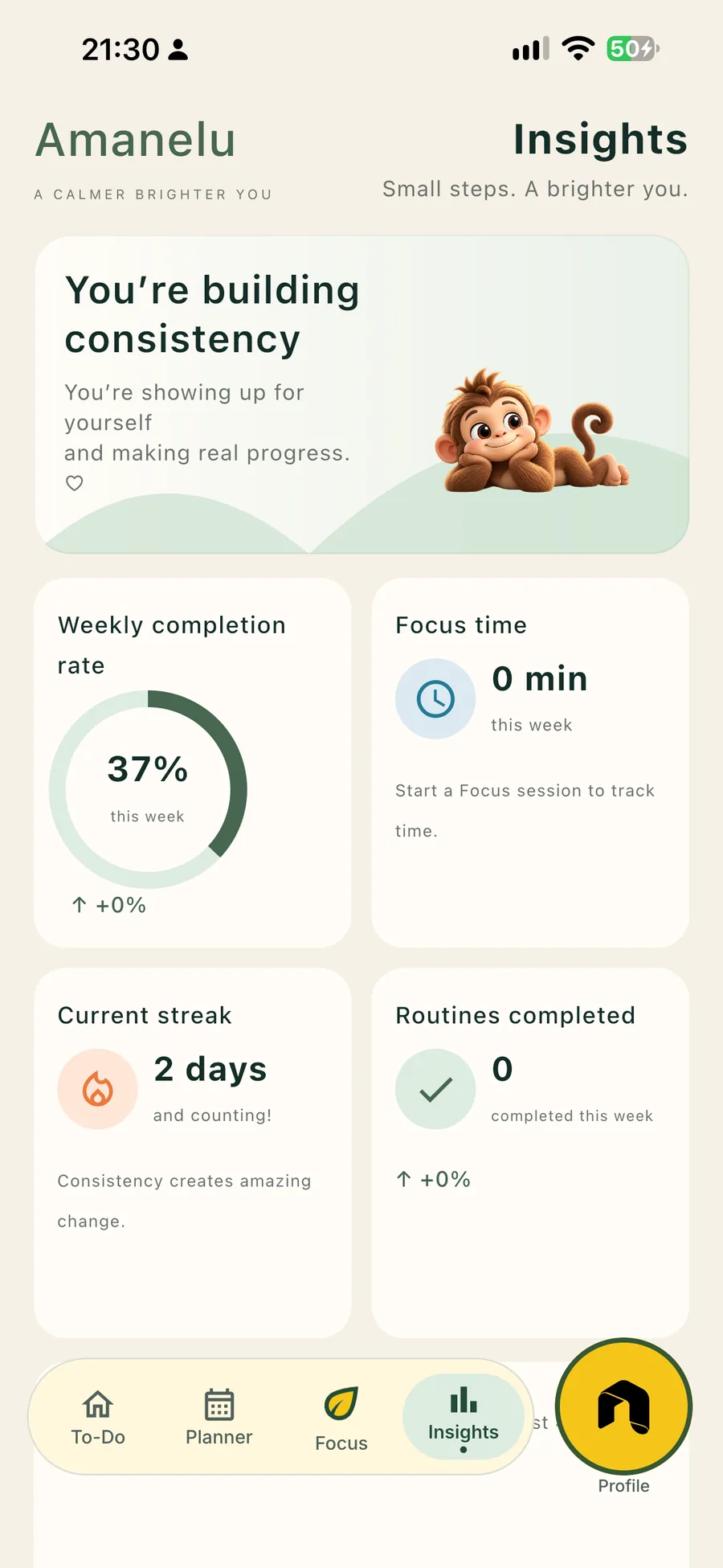
Amanelu insights: 37 percent weekly completion, a 2 day streak, and focus time for the week.
Insights · Galaxy

Notice the step you began.

A plain look at what you actually started, not a target to chase. There is no score you have to beat.

When you want to continue, the next small step is still there.

Nothing on this page is a clinical evaluation of Amanelu. These sources do not show that the app changes ADHD symptoms, attention, or procrastination. Amanelu is a planning tool, not medical advice or care.

Keep one next step within reach.

Set Amanelu the way you like it, then leave it easy to open. When something has been waiting, capture it and do the one step that gets it moving.

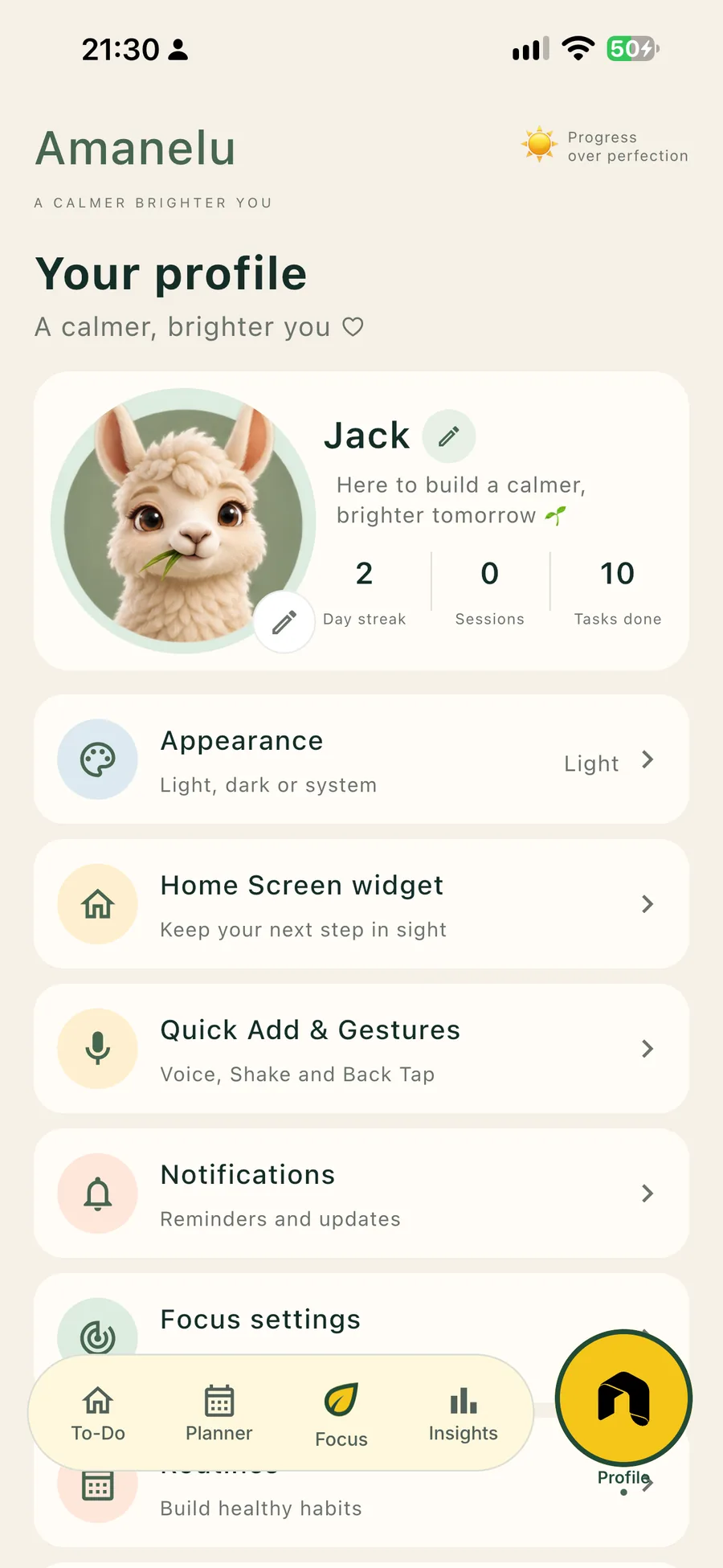
Amanelu profile for Jack, with appearance, home screen widget, gestures, notifications and focus settings.
Profile · iPhone
Amanelu Schedule app icon: a gold A on black

Now on iPhone

Amanelu Schedule

Plans that actually happen.

Amanelu Schedule gets your partner, friends and family from “we should meet up” to “see you Friday”, without 40 messages in the group chat.

  • Shared group agenda. Add a date once and everyone in the group sees it, via iCloud, with no account needed.
  • Vote, don’t debate. Everyone taps a favourite and the winner is picked for you.
  • Places for everyone. Nearby restaurants with photos and ratings, ranked by each person’s tastes, diet and budget.
  • Made for busy (and ADHD) brains. One thing per screen, big buttons, no clutter.
Get it on Google Play Coming soon on Google Play
Download on the App Store
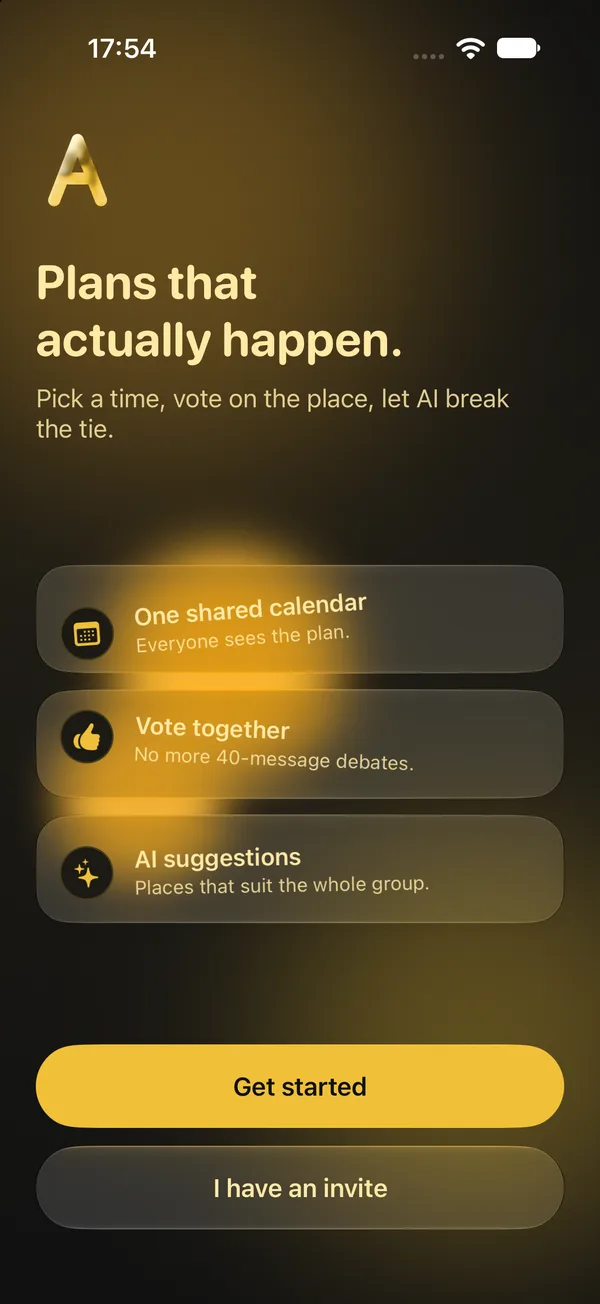
Amanelu Schedule welcome screen: Plans that actually happen, with one shared calendar, vote together and AI suggestions.
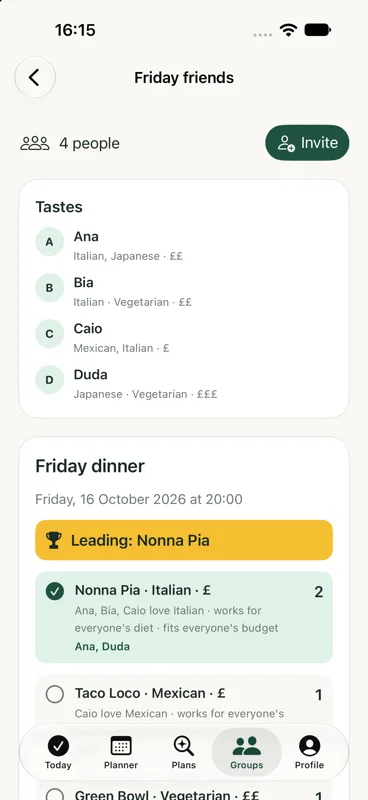
A group plan for Friday dinner with each friend's tastes and votes, and Nonna Pia leading.
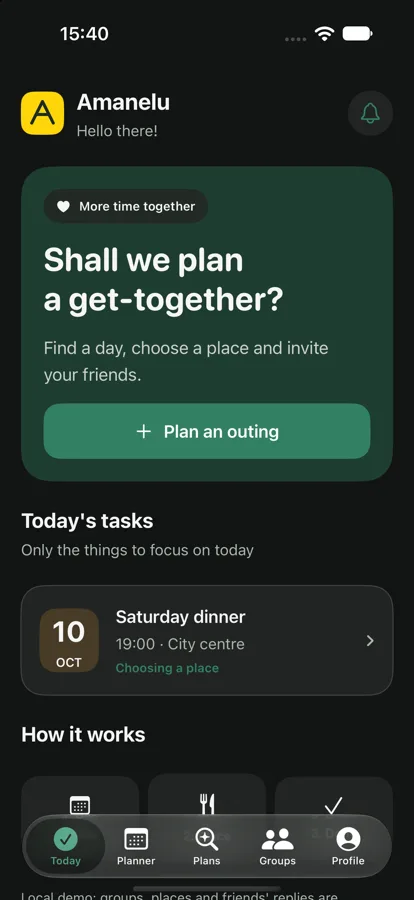
Amanelu Schedule Today screen suggesting a get-together, with a Saturday dinner plan.
Tetelestai app icon: a sheep's head wearing a crown of thorns

Now on iPhone & Android

Tetelestai

Scripture, close at hand.

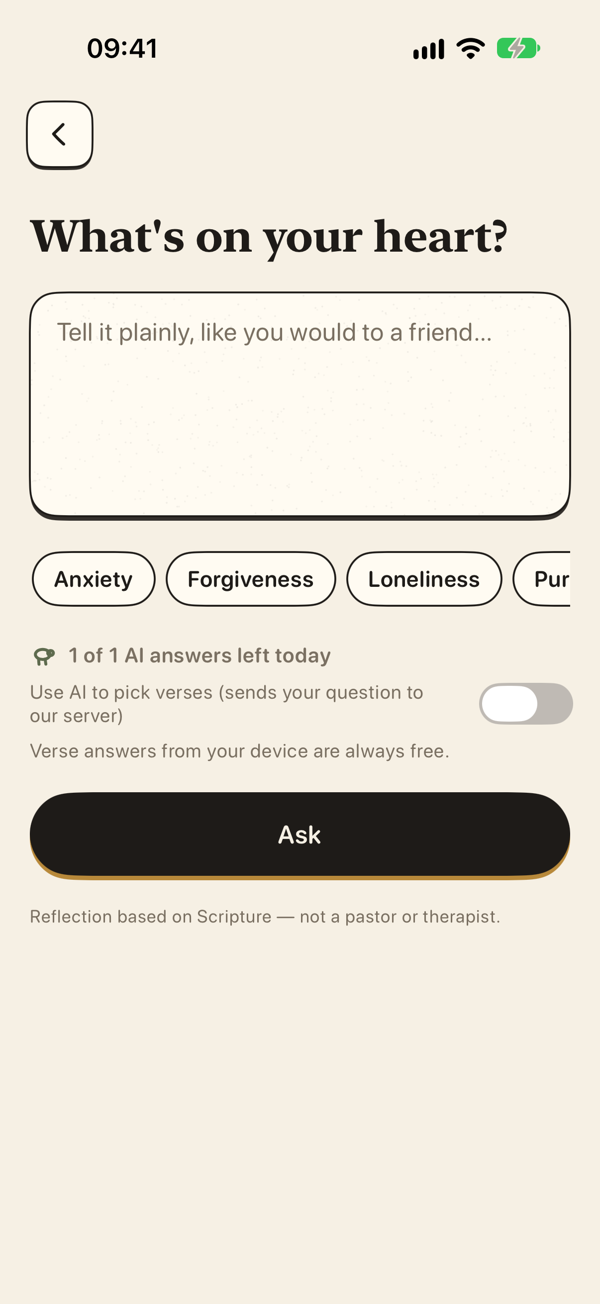
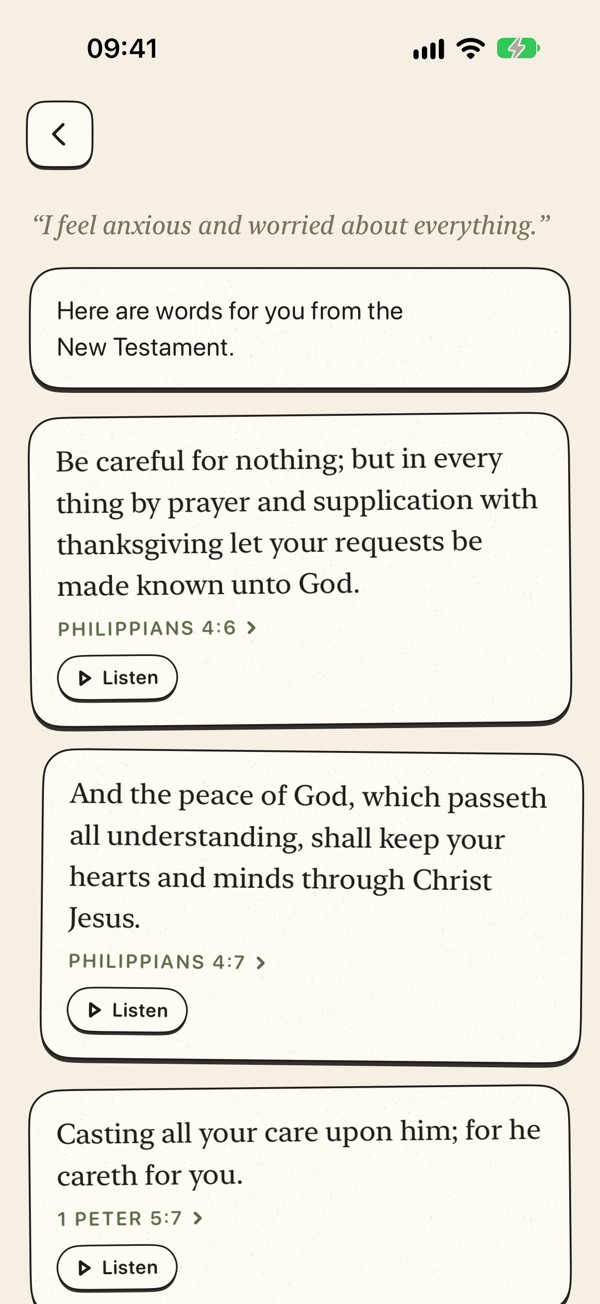
Tetelestai is a calm Bible companion: ask a question, find a verse, or listen to the New Testament, wherever you are.

  • AI reflections rooted in Scripture. Ask about faith, life or a passage and get a short reflection with the verses behind it.
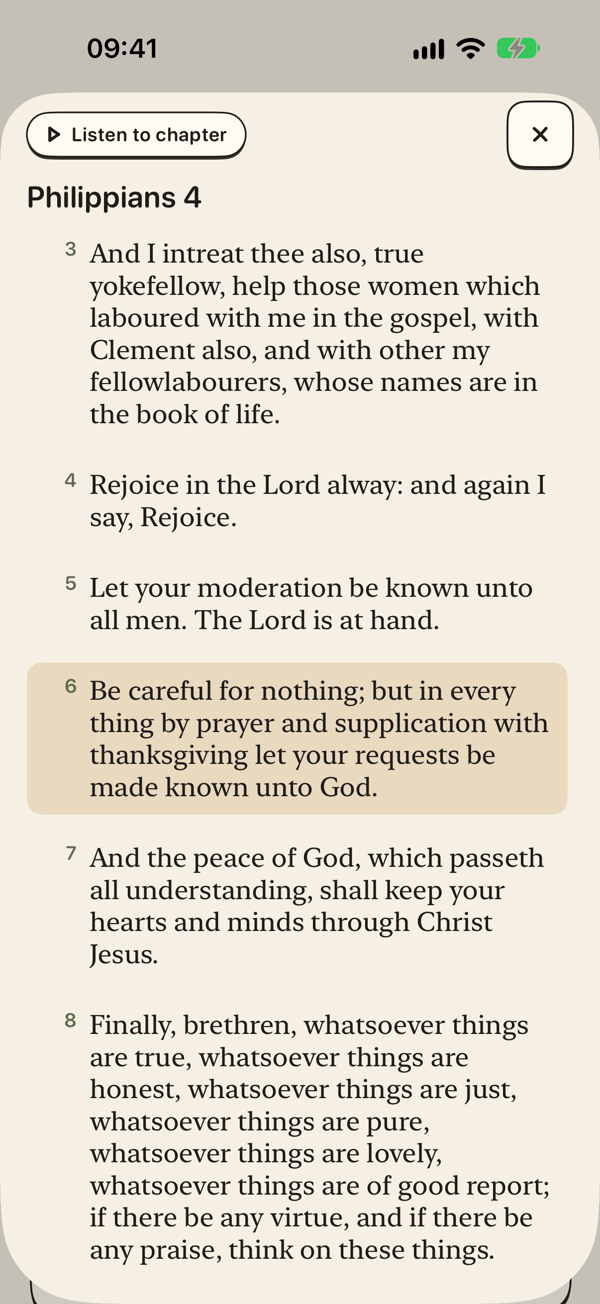
  • Find any verse fast. Search by word, theme or reference.
  • Free New Testament audio. Listen on the go, at no cost.
  • No account, no ads. Open it and start reading.
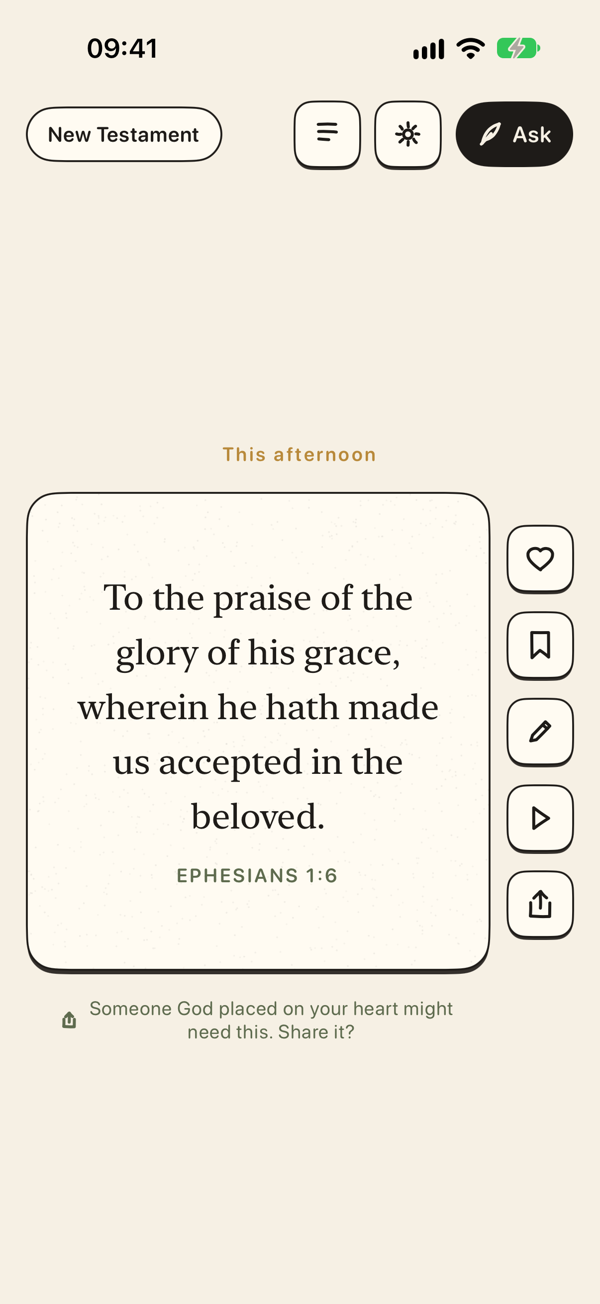
Tetelestai screenshot: Home
Tetelestai screenshot: AI reflection
Tetelestai screenshot: Verse search
Tetelestai screenshot: Verse detail
Tetelestai screenshot: New Testament audio
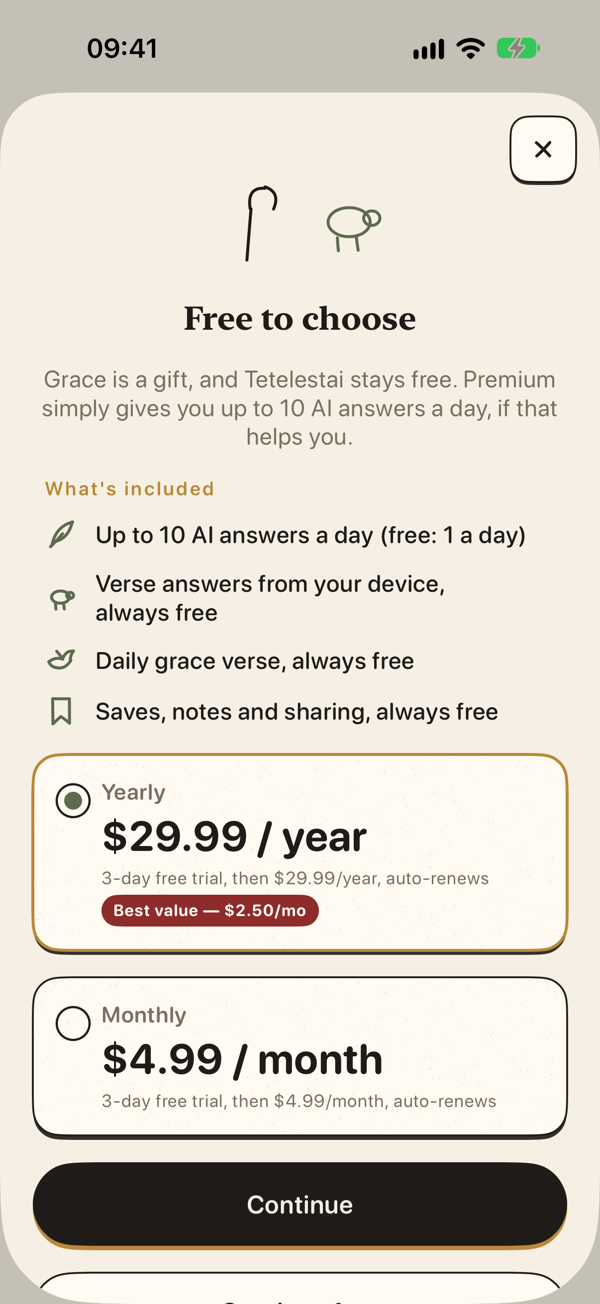
Tetelestai screenshot: Settings
Garantia app icon: a red receipt stamp on cream paper

Now on iPhone & Android

Garantia

Receipts, kept ready.

Keep the proof on your phone, track every warranty, and know what to do when a purchase goes wrong — before the deadline slips past.

  • Snap the receipt once. Shop, date, amount and photo stay together on your device.
  • Reminders before it ends. We ask if everything is OK while you still have time to claim.
  • Four questions, clear next steps. Organise your evidence and find practical consumer guidance.
  • Yours to keep. Export a ZIP with photos, a spreadsheet and JSON whenever you need it.
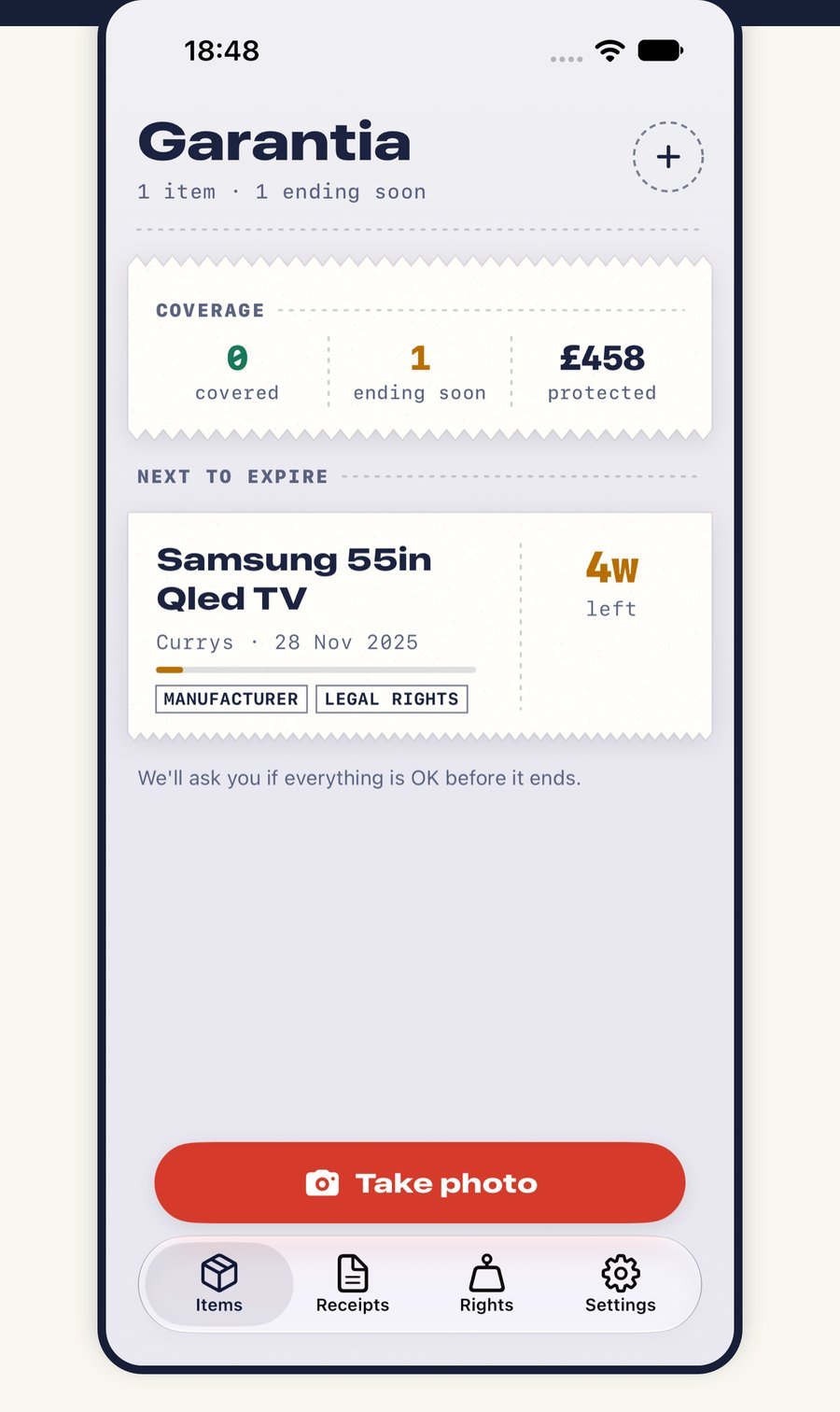
Garantia: purchases and warranties in one place, with a Samsung TV ending soon.
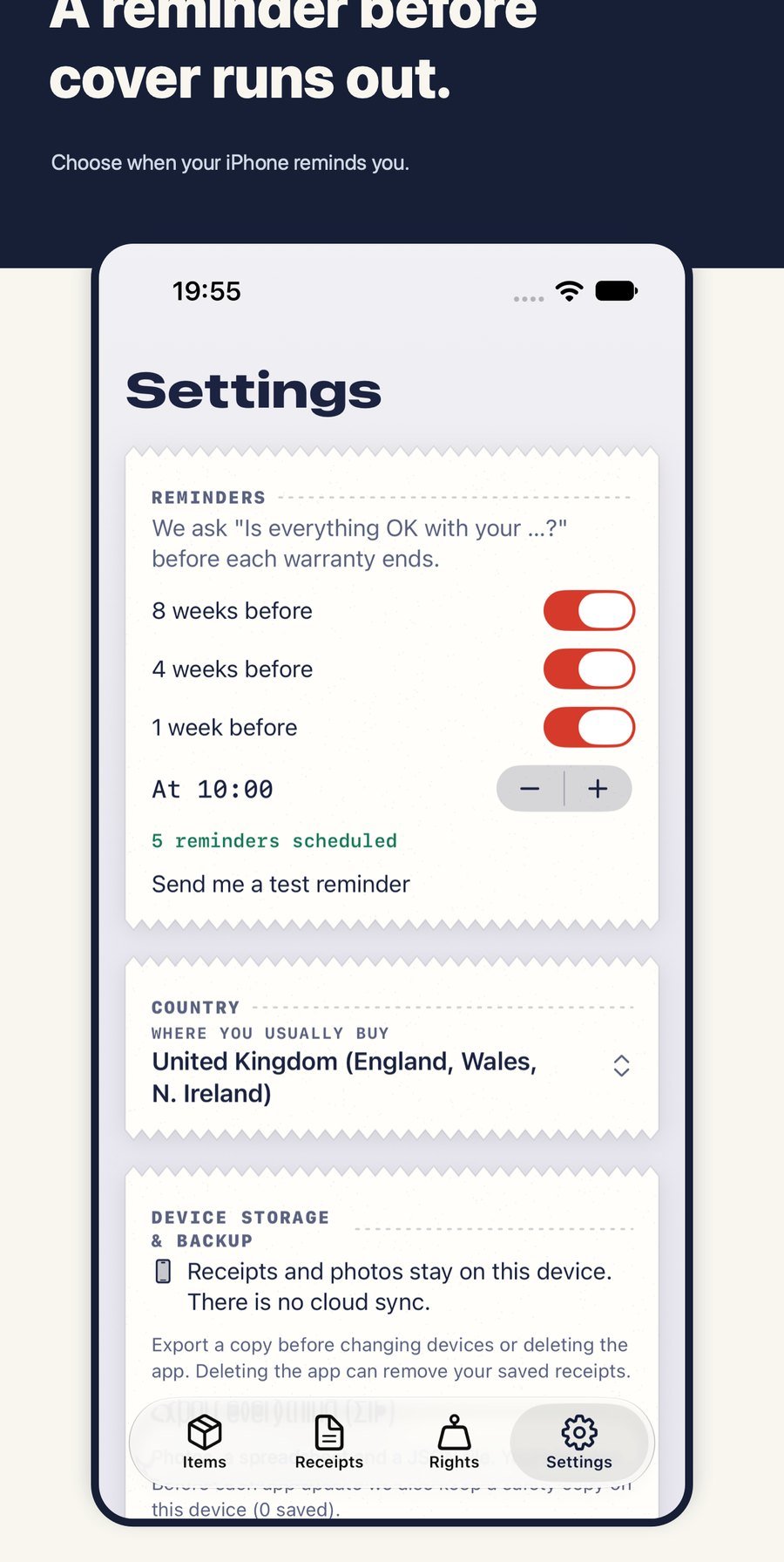
Garantia reminders: choose when your iPhone asks if everything is OK before cover ends.
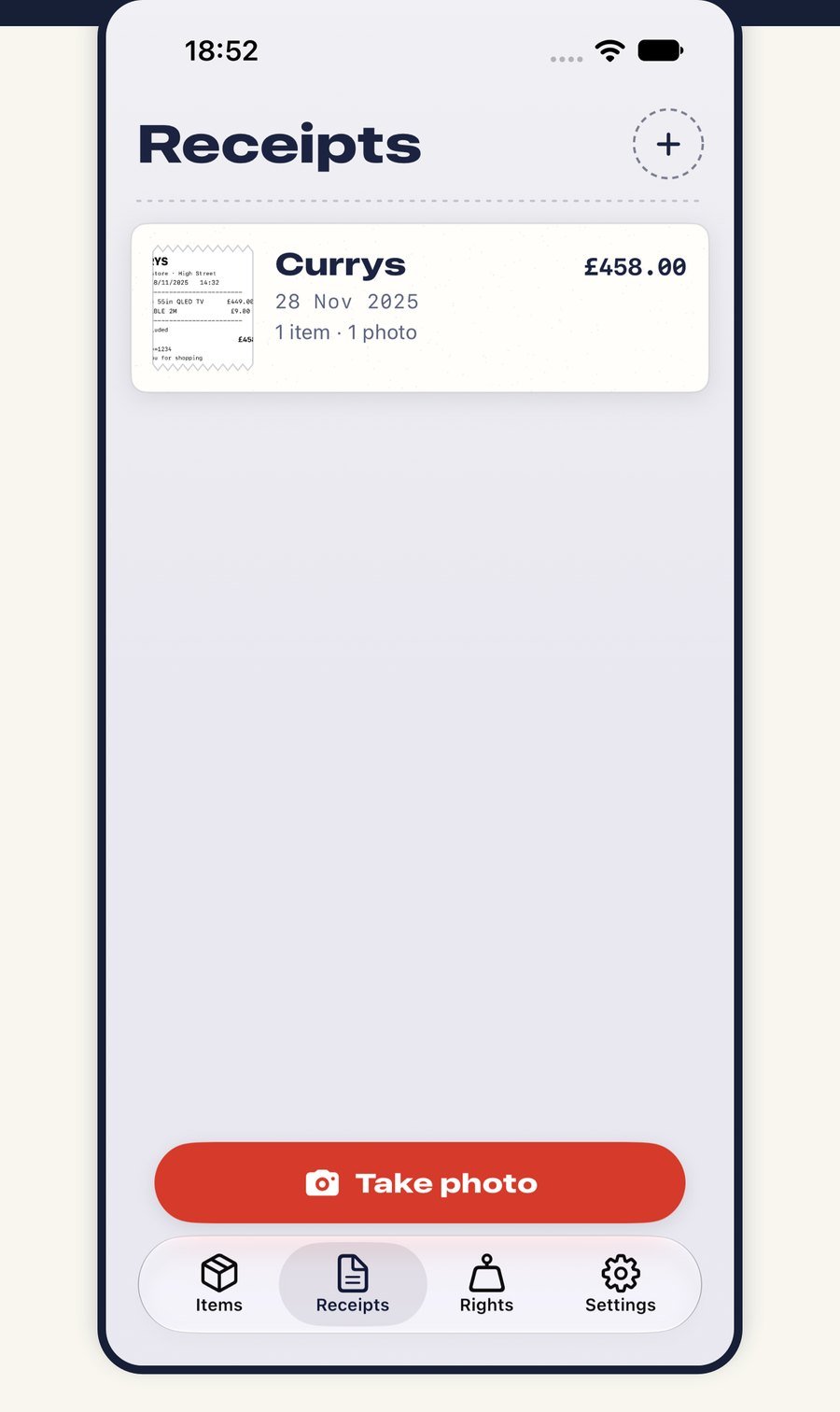
Garantia Receipts: Currys receipt photo kept on your iPhone.
PropertyScan AI app icon: a cream house with a mint check on a deep teal background

Now on iPhone & Android

PropertyScan AI

Understand any property report.

Turn a property report into a clearer briefing — key findings, indicative repair budgets and questions to ask before you decide.

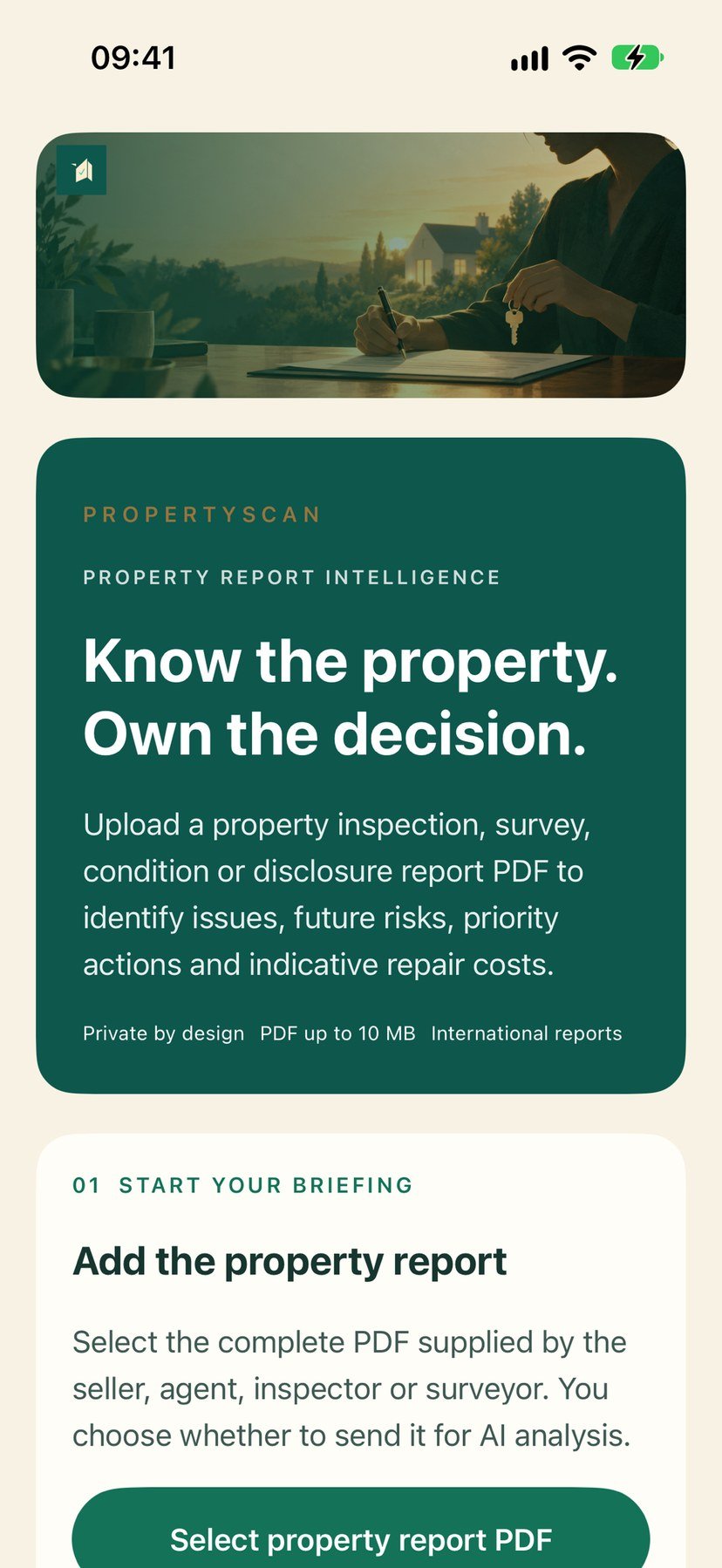
  • Add the PDF. Select the report from the seller, agent or surveyor and get a structured briefing.
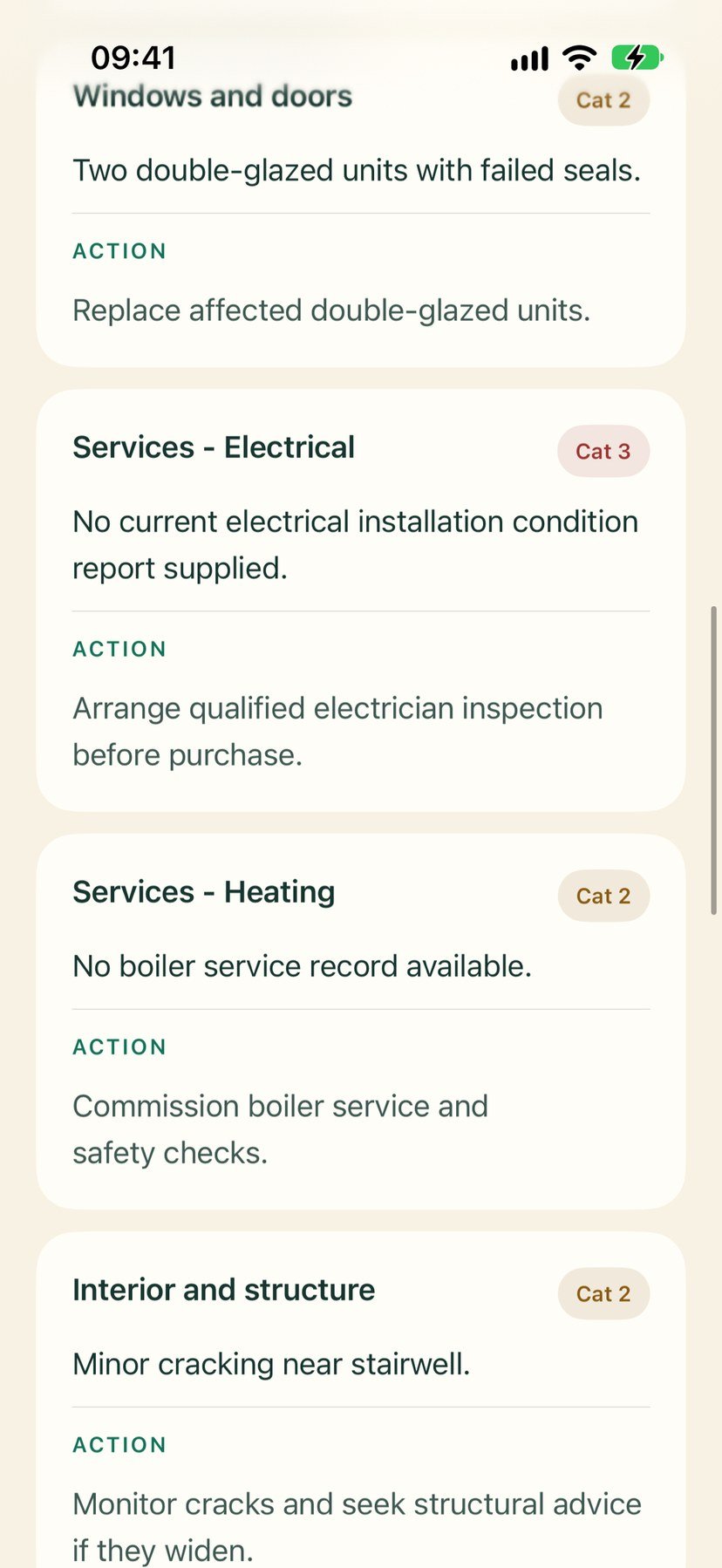
  • Key findings first. See what matters and the priority actions to take next.
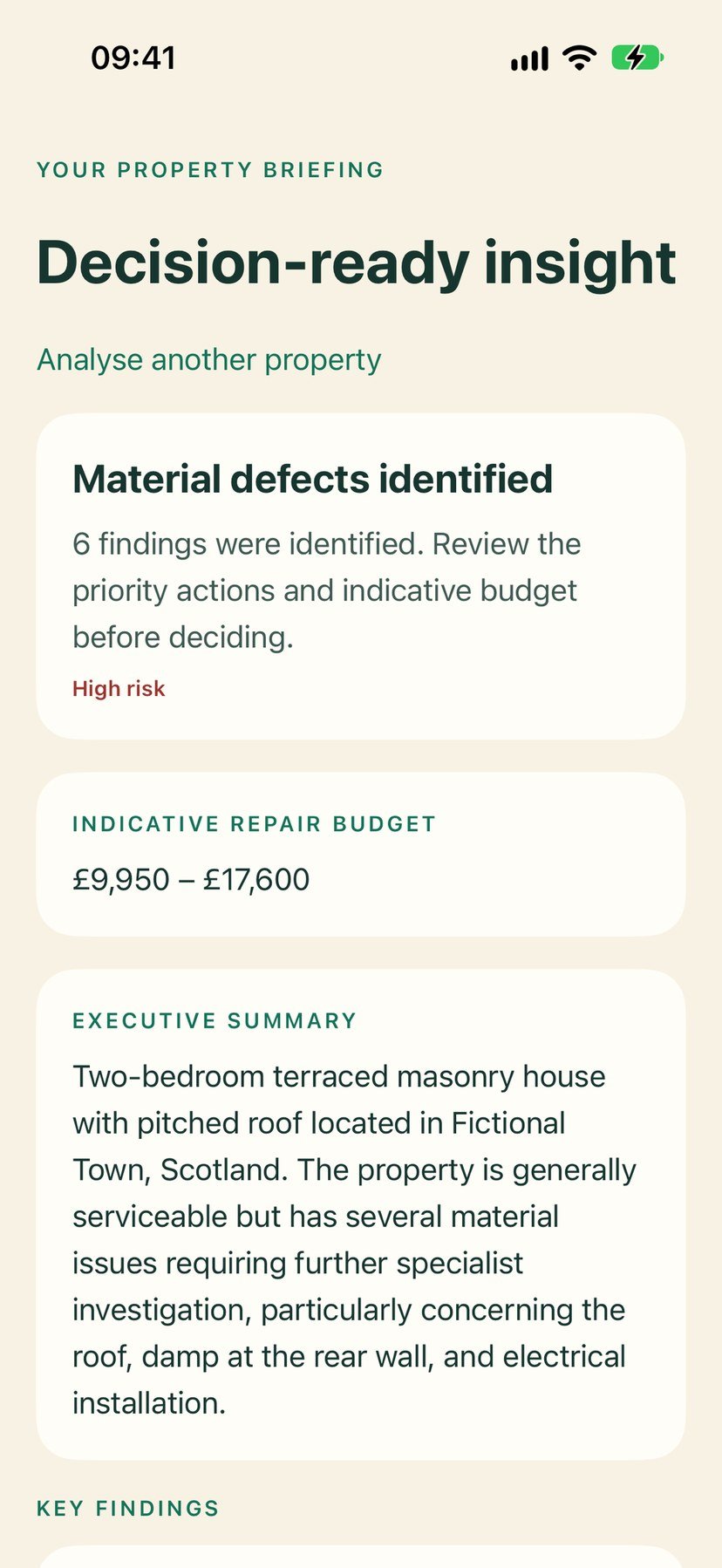
  • Indicative repair budgets. Cost ranges to help you plan questions — not a contractor quote.
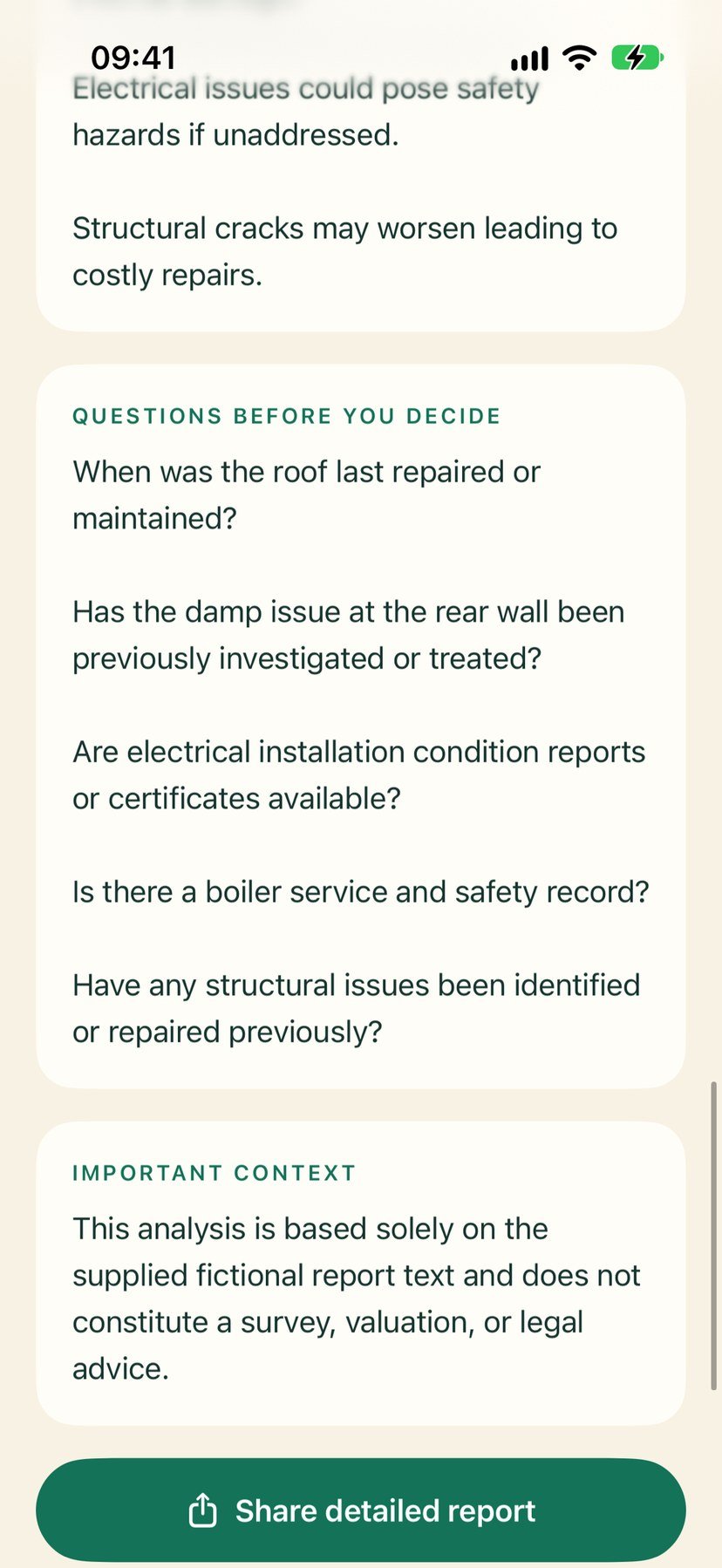
  • Questions before you decide. Useful questions for the seller or agent.

Briefings are informational only. They can miss or misinterpret issues, and estimated costs are indicative. Not a substitute for a professional survey or legal advice — always check the original report and get independent advice.

PropertyScan AI home: add a property report PDF to get a structured briefing.
PropertyScan AI findings: key issues and priority actions from the report.
PropertyScan AI budgets: indicative repair cost ranges to plan questions.
PropertyScan AI questions: useful questions to ask the seller or agent.
NeonPin app icon: a neon pink map pin with a teal centre on a dark grid

Coming soon · iPhone

NeonPin

Your unofficial map companion for the next big open-world game.

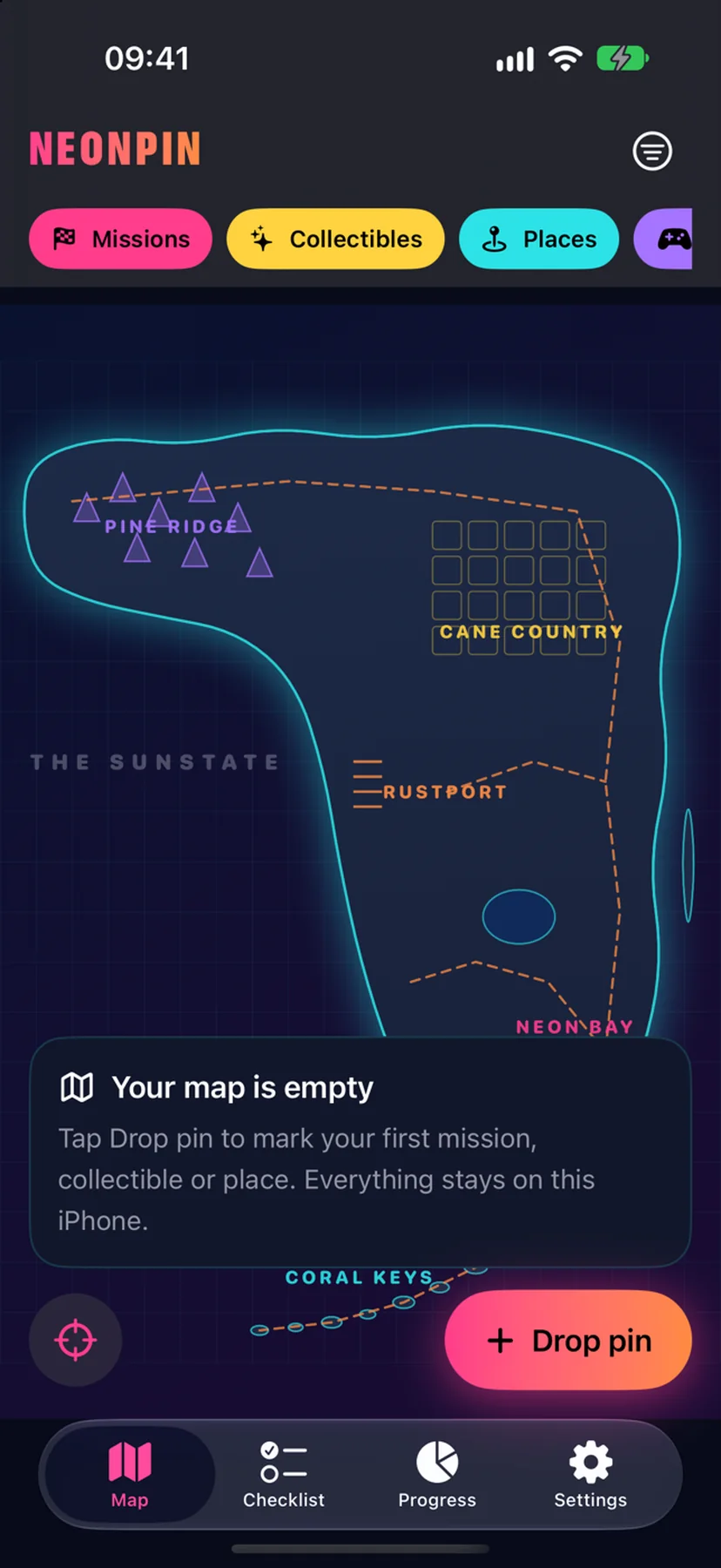
Mark every collectible, mission and spot on a neon map in two taps, filter by category and status, track your progress and export a backup. No account; your data stays on your device.

  • Two taps, every pin. Mark each collectible, mission and spot on a neon map.
  • Filter your way. See pins by category and status.
  • Track your progress. Know what is done and what is still open.
  • A backup you control. Export it whenever you need. No account — your data stays on your device.

Unofficial fan companion, not affiliated with Rockstar Games or Take-Two Interactive.

Download on the App Store Coming soon to the App Store
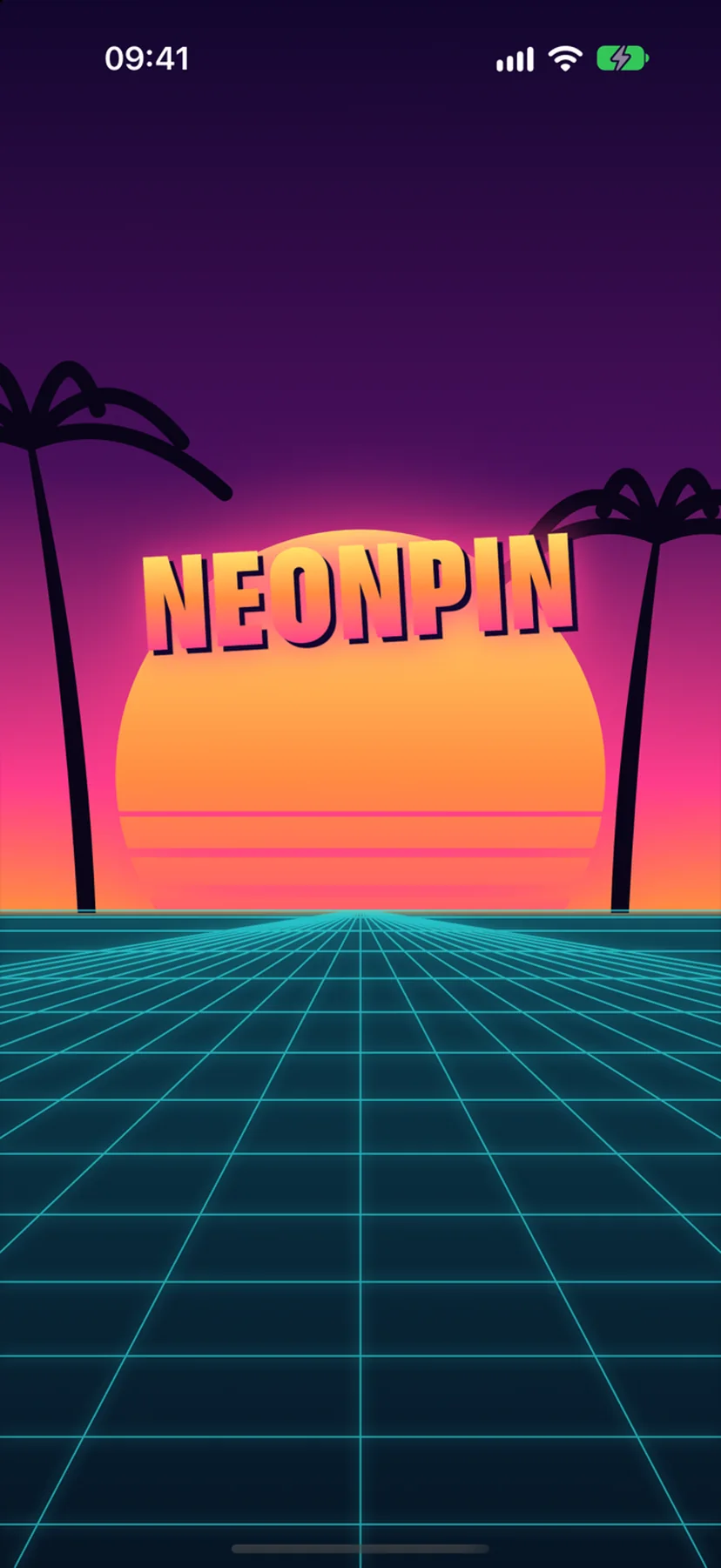
NeonPin splash screen: the NeonPin name over a sunset and a neon grid.
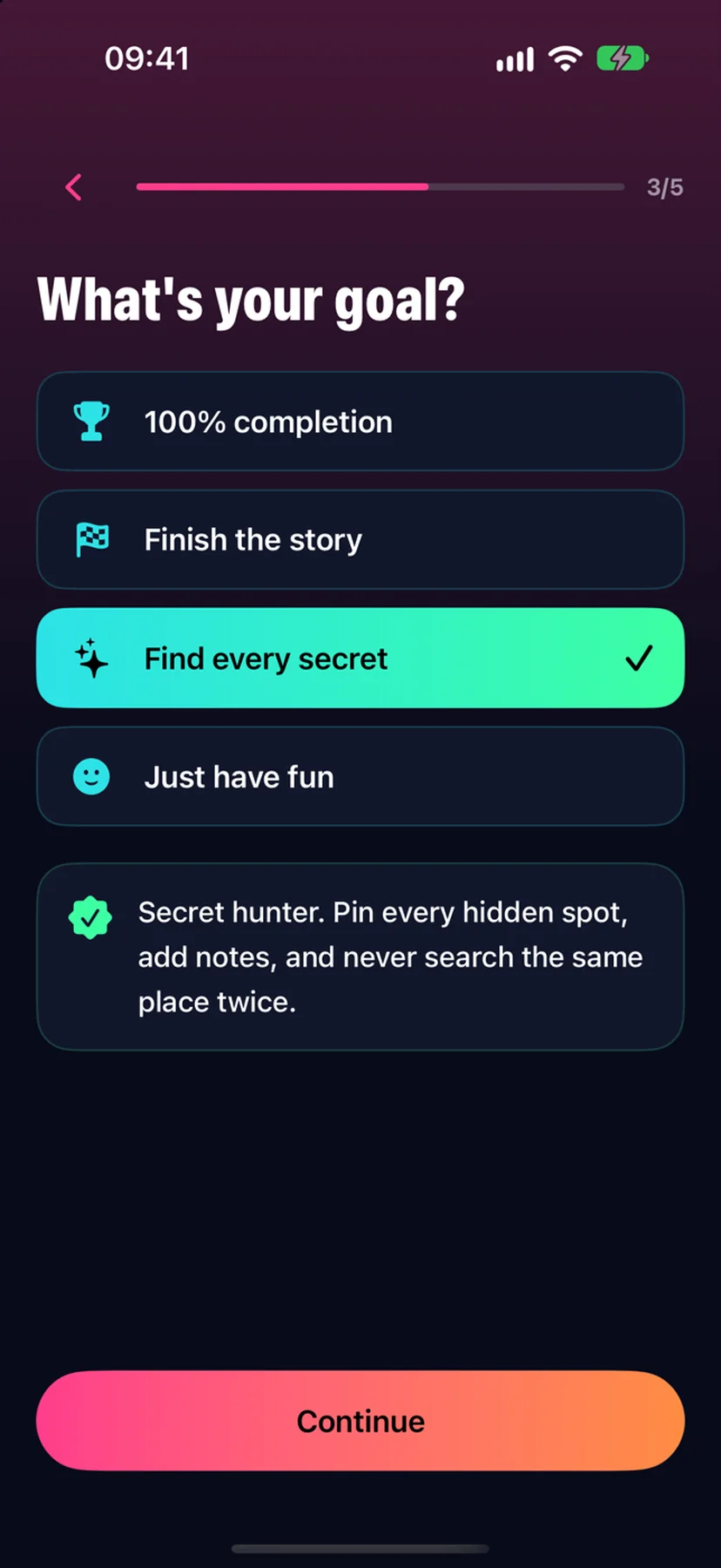
NeonPin quiz: What is your goal, with Find every secret selected.
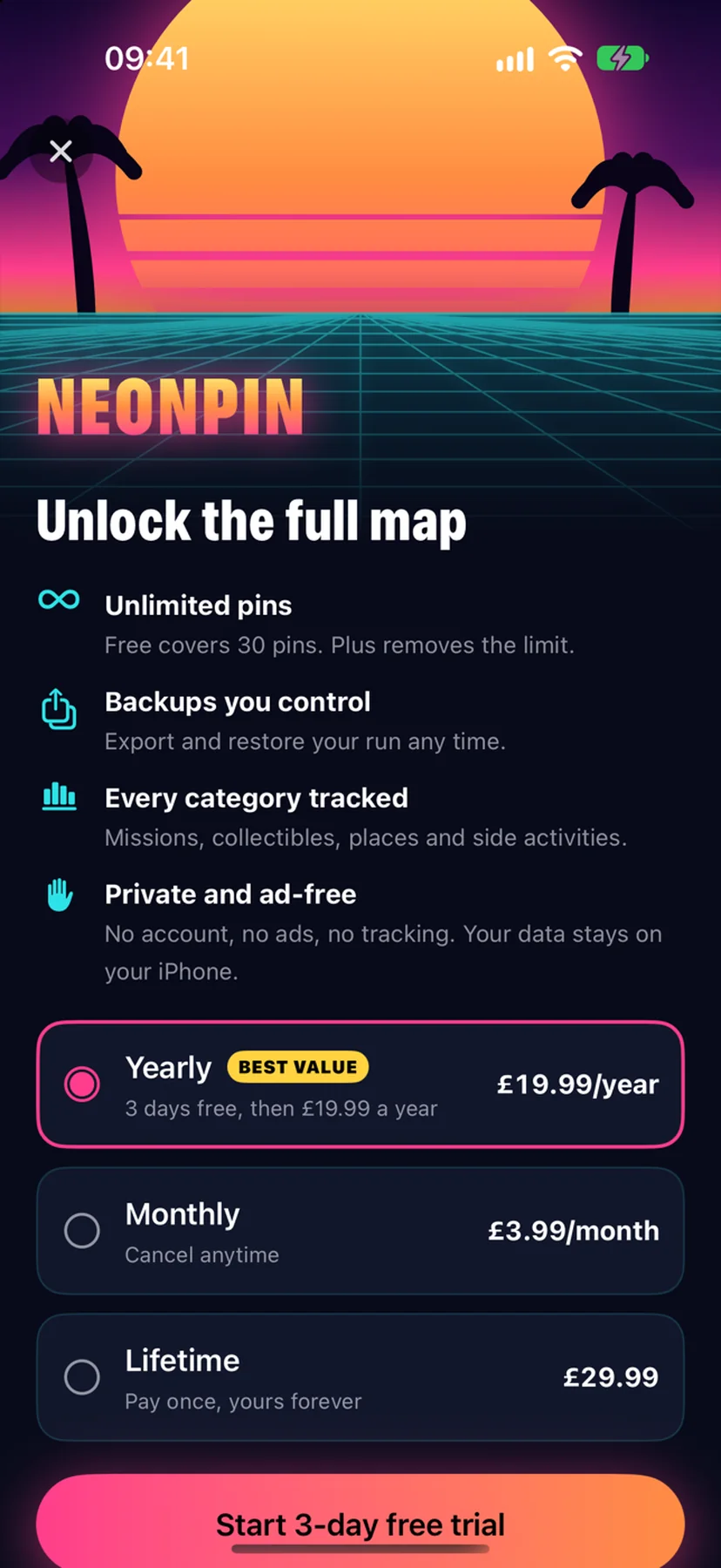
NeonPin: Unlock the full map, with yearly, monthly and lifetime options.
NeonPin map: a neon outline with category filters and a Drop pin button.